A clear path from a goal to one task you can work on this week.
A Klara account on desktop and a project you want to set a goal for.
Meet Maya Bennett, a fictional Head of Operations. All screenshots show her demo workspace in the current Klara interface.
1. What change should the goal describe?
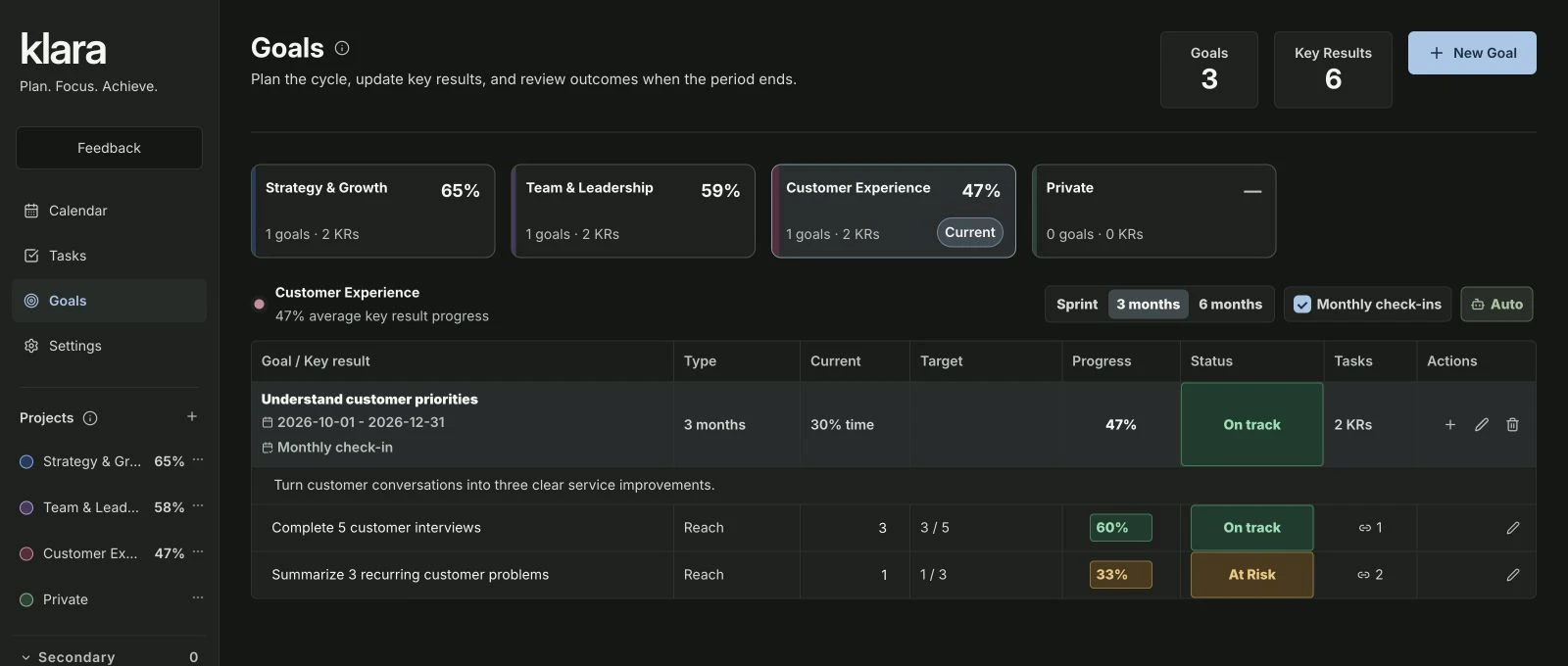
Open Goals, select the relevant project and use New Goal. Describe a result that matters and choose a suitable planning period. Maya’s Customer Experience project has the goal “Understand customer priorities”. It sets a direction; the supporting results make progress more specific.
2. What evidence will show progress?
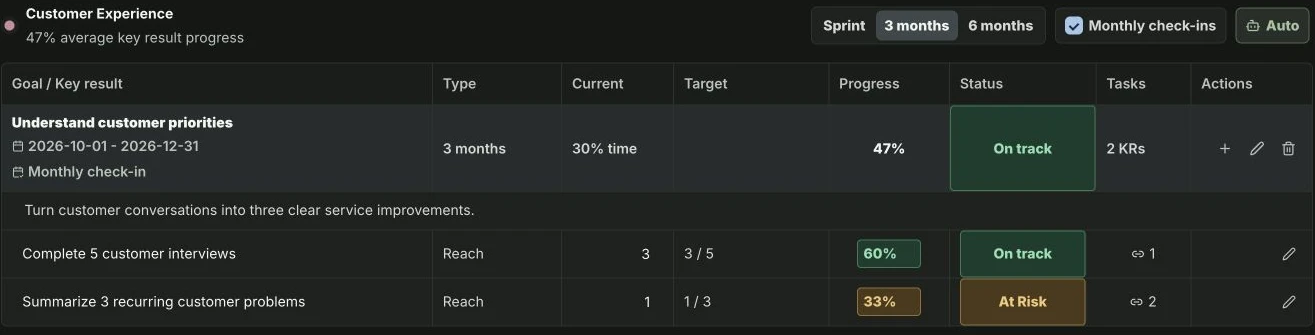
Add key results you can honestly check. Maya tracks “Complete 5 customer interviews” and “Summarize 3 recurring customer problems”. The first measures the conversations; the second asks what the team learned. Always check whether the result supports the goal, rather than counting activity for its own sake.
| Level | Example |
|---|---|
| Goal | Understand customer priorities |
| Key result | Summarize 3 recurring customer problems |
| Contributing task | Review customer interview notes |
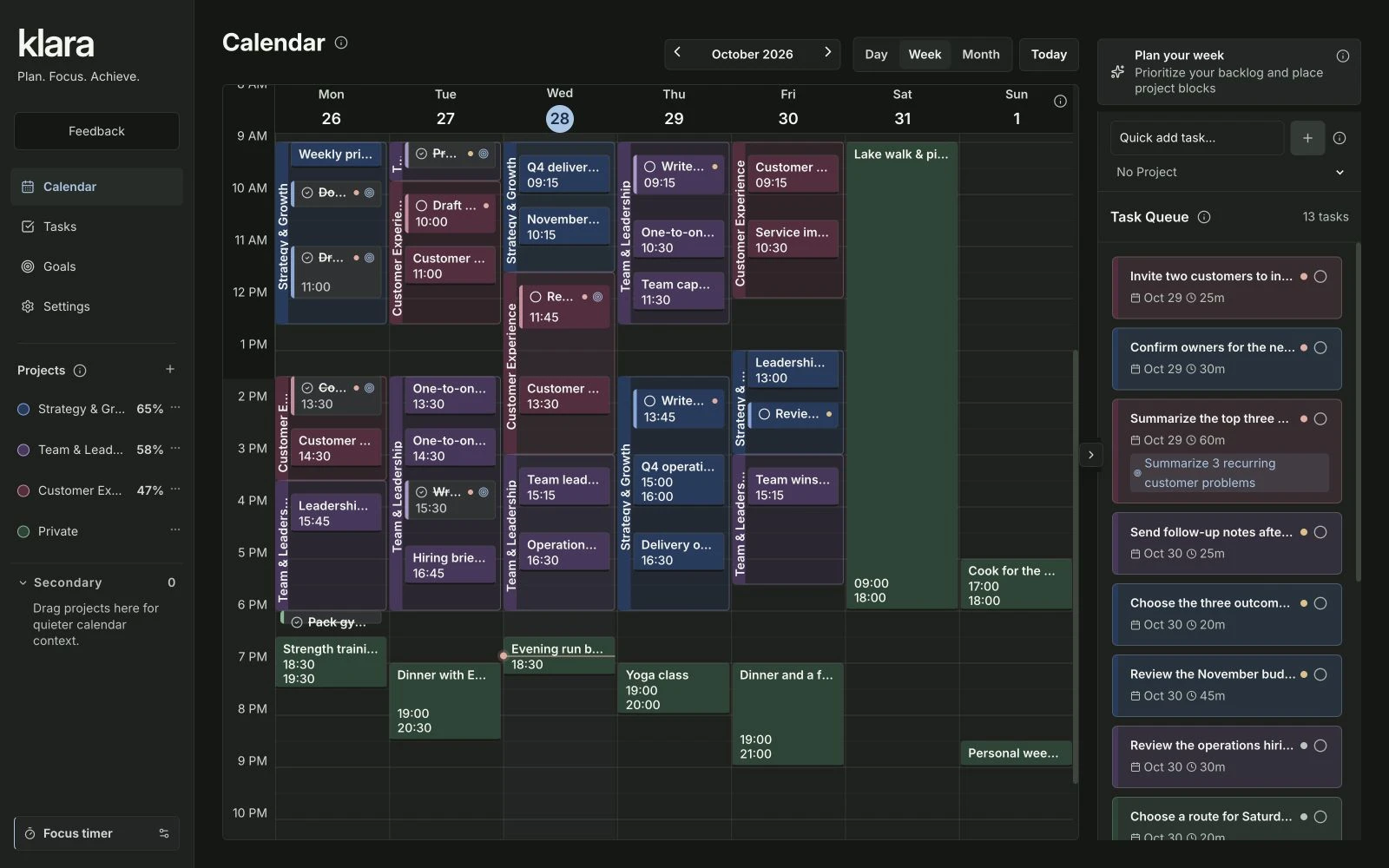
| Calendar slot | Wednesday, 11:45–12:35: review interview notes |
Before linking work, check whether the proposed result shows a meaningful change or only counts activity. Write key results that measure a useful outcome →
3. How do you link the next concrete task?
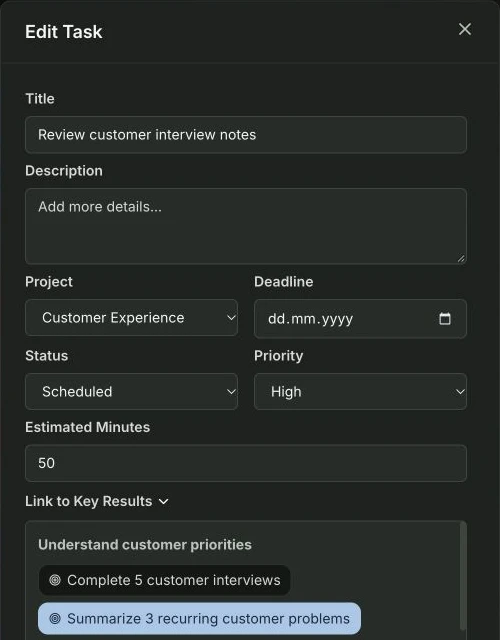
In the Goals table, use the task-count button in the Tasks column to link an existing task. You can also use Link to Key Results in the task editor. Choose work that directly supports that result. Maya links reviewing interview notes and summarizing patterns to the result about recurring customer problems. Most of her day-to-day tasks stay unlinked. Add a connection only when it helps explain how the work contributes.
4. How do you give the next action time?
Open Calendar and reserve time for the next action. During your weekly review, check both the completed work and the result: what did you learn, and which task will help now? This keeps everyday planning connected to the reason the work matters.
- GoalThe change you want
- Key resultObservable progress
- TaskConcrete work
- CalendarTime to do it
Does every task need a key-result link?
No. Link a task when its contribution to a particular result is direct and useful to explain. Maya links reviewing interview notes to her result about recurring customer problems. Routine administration and personal tasks can stay unlinked. Assigning a task to a project is enough to keep it organized with that project’s work.
During review, check the result against its evidence. Preparing interview questions, completing an interview and validating a recurring problem are different milestones. Record the next action that closes the actual gap instead of treating a completed card as proof of the entire outcome.
About this guide and its examples
Published by Klara. Written with AI assistance; product behavior checked on . The Goals task-count link control, Link to Key Results in the task editor and the related calendar slot were checked.
Screenshots were captured in the fictional Maya Bennett demo workspace on 28–29 October 2026. Illustrative calculations and suggested OKR targets are examples, not measured customer results. For corrections or questions, use the contact details in our legal notice.