Plan work beside appointments
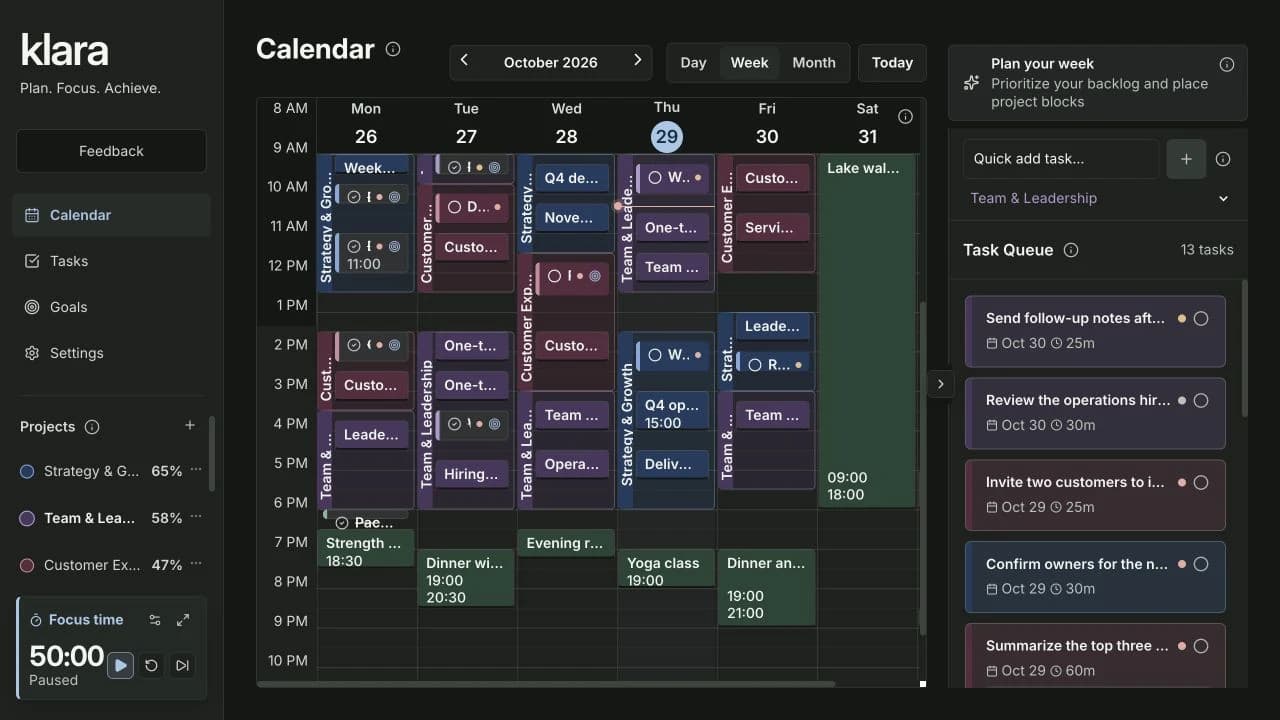
Schedule a task in the calendar while keeping its project and goal context. Your backlog stays close to the time you have available.
Built for everyday planning.
Clear, intuitive tools for your calendar, tasks and goals.
One example: design a launch page. Follow the card from time slot to task to goal.
Give your tasks time beside your appointments.
Schedule a task in the calendar while keeping its project and goal context. Your backlog stays close to the time you have available.
Reserve a block for a project, then choose the related tasks you want to work on. You stay in control of your schedule.
Choose a Google calendar and pair it with a Klara project. Import-only brings Google events into Klara; two-way also sends eligible Klara changes back. You select the mode during setup.
Original demo workspace: Northstar Launch.
The same task. Scheduled and ready to work on.
Group work by project, break a task into subtasks and keep the details close. Move between planning the project and doing the work.
The Scheduled stage makes planned work visible alongside the rest of your tasks. A due date and a calendar time slot answer different questions.
Use the built-in Pomodoro timer for a focused work session and a break. Keep your attention on the task in front of you.
Link the task to the result you want to achieve.
Keep related tasks attached to a key result, with project context available across your workspace.
Set measurable targets, update key results and check progress through the cycle. Being busy and moving toward a goal are different things.
Optional AI assistance turns a description into goal and key-result suggestions. Review and edit the draft before saving it.
Create an account, then choose your calendars and permissions in setup.
For personal projects, busy weeks and bigger goals.

“Through Klara, I save up to 40% of my time because I can finally prioritize better and work on the right topics.”

“Klara provides me with the overview I need as an executive, preventing a lot of stress.”
“Poor planning is the main cause of my stress and inefficient work. That’s why I switched to Klara.”
Personal experiences. Individual results vary; Julian’s time-saving figure is his own estimate, not a measured average.
 Service regions · map: Natural Earth
Klara is developed and operated in Dresden, Germany.
Markers show regions, not exact facilities.
When you connect Google, Klara exchanges the calendar data needed for your selected project/calendar pairing and sync mode. Google processes data under its own terms and processing locations.
Scaleway TEM delivers account confirmations, password resets, project invitations and transactional contract messages. Campaigns are not sent through TEM. Paid invoices continue to be sent through Mollie. Your mailbox provider determines where a delivered message is subsequently processed.
Requested goal drafting uses Mistral Small, and audio transcription uses Whisper, both hosted by Scaleway in Paris, France. These features do not call the OpenAI API. Google Calendar data is excluded. Review generated drafts before saving.
Checkout and payment handling use Mollie through Payline. Their own processing and retention arrangements apply; a company address does not establish where every payment datum is processed.
Encrypted recovery copies are also retained through the operator’s separate protected Mac backup workflow. Retention, access and recovery requirements are explained in the privacy documentation.
Connected providers may process data outside the EU/EEA.
Privacy detailsNo. Start with a project and a few tasks. Add calendar slots and goals when you need them.
You choose what to work on and when. Klara keeps the context together.
Yes. Choose calendars, project pairings and sync permissions during setup.
The standard price is €12 per month. The first 20 subscribers can get €4 per month for as long as their subscription stays uninterrupted. Your available price is confirmed at checkout. See the launch offer below for the terms.
For the first 20 subscribers. Standard price: €12/month.
Keep €4/month while your subscription runs without interruption.
Monthly subscription. Cancel any time. After cancellation takes effect, subscribing again costs €12/month. For private customers in Germany.
Your projects. One connected plan.
Get started for €4/monthYour available price is confirmed at checkout.
7 Guides
Priorities → Time → Review
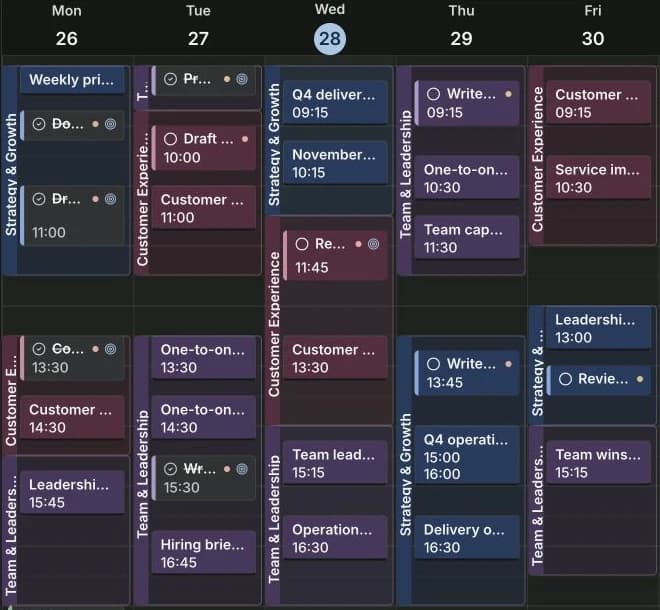
Weekly planning · 5 min.
Build a realistic week in Klara: check your commitments, choose important tasks and reserve time to do the work.
Read guideKnow what happens next.
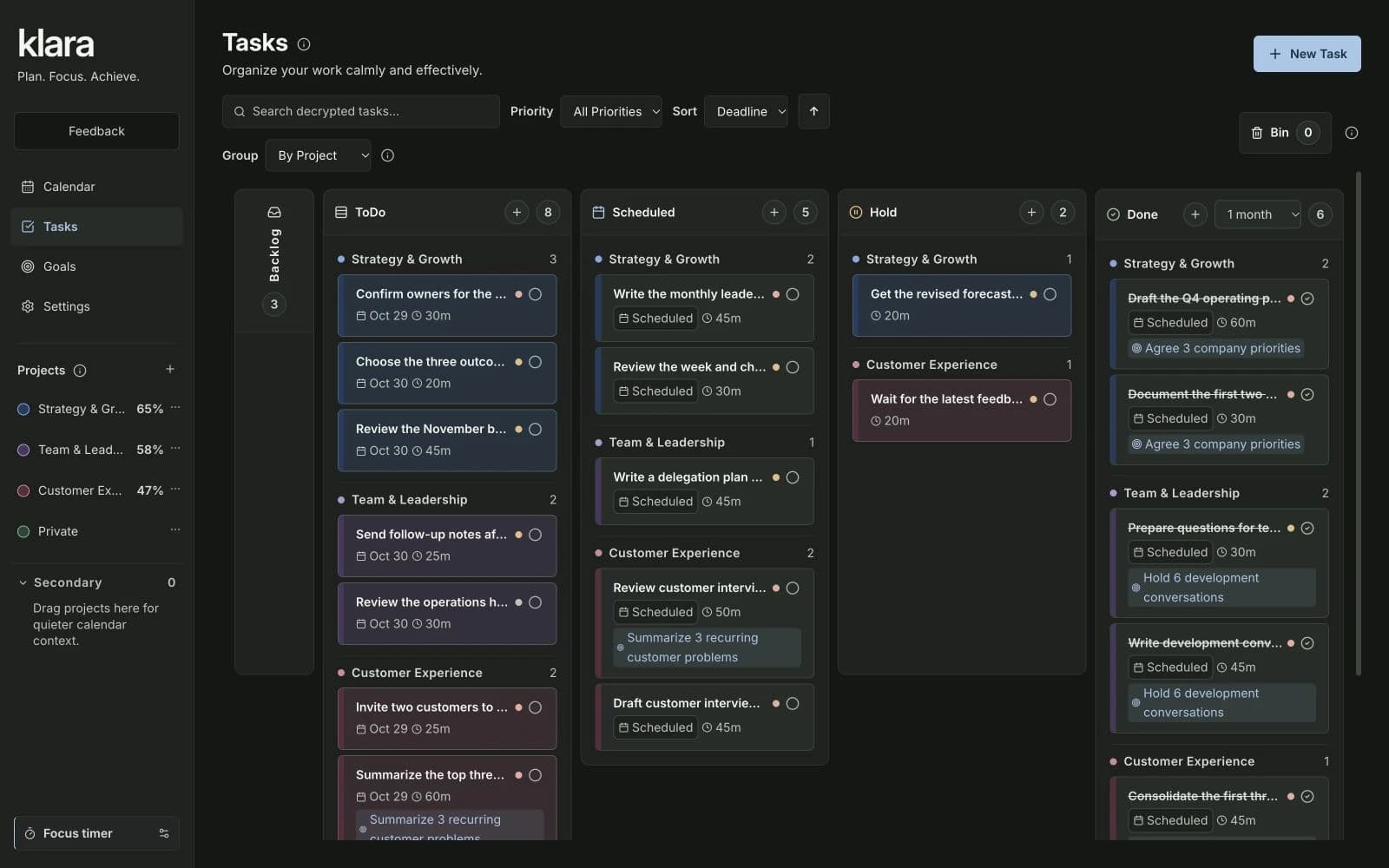
Focus · 5 min.
Learn Klara’s Kanban workflow: capture ideas in Backlog, choose ToDo tasks, schedule real calendar slots and keep Hold and Done clear.
Read guideMake the next step count.

Goals · 5 min.
Connect goals, measurable key results and concrete tasks in Klara. Follow one leadership example all the way to a calendar slot.
Read guideFocus. Break. Begin again.
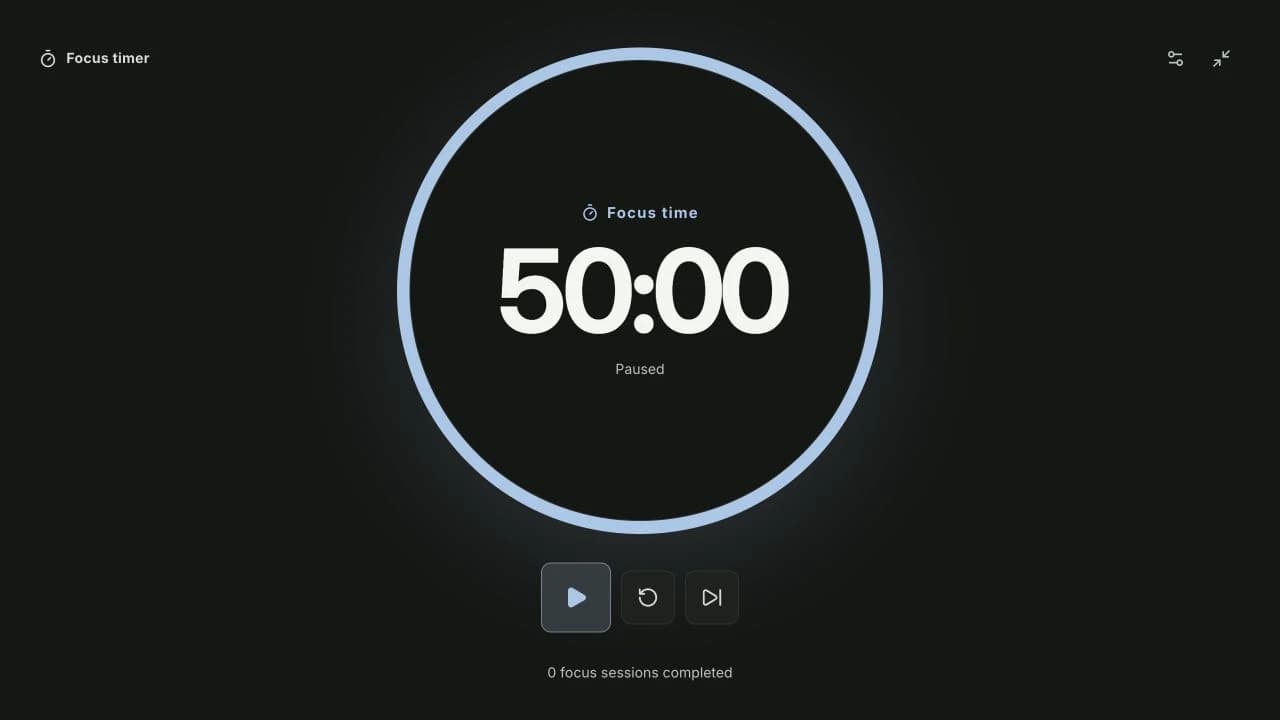
Focus · 4 min.
Set a focus rhythm in Klara, use the compact or expanded timer, and alternate work with short and long breaks.
Read guideProject → Context → Next task
Weekly planning · 4 min.
Reserve time for a project in Klara. Learn how project blocks sit behind events and help matching tasks appear higher in the task queue.
Read guideClear direction. Evidence of progress.
Goals · 5 min.
Write useful OKRs with clear objectives, measurable outcomes and honest progress checks. Compare weak and stronger examples, then set them up in Klara.
Read guideOutcomes · Actions · Time
Weekly planning · 5 min.
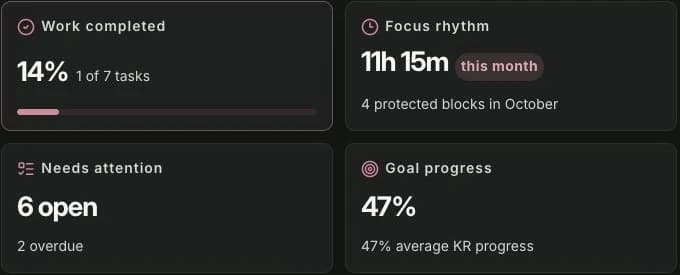
Use Klara’s project overview to connect tasks, events and goals, check reserved time and choose your next action with the full plan in view.
Read guide